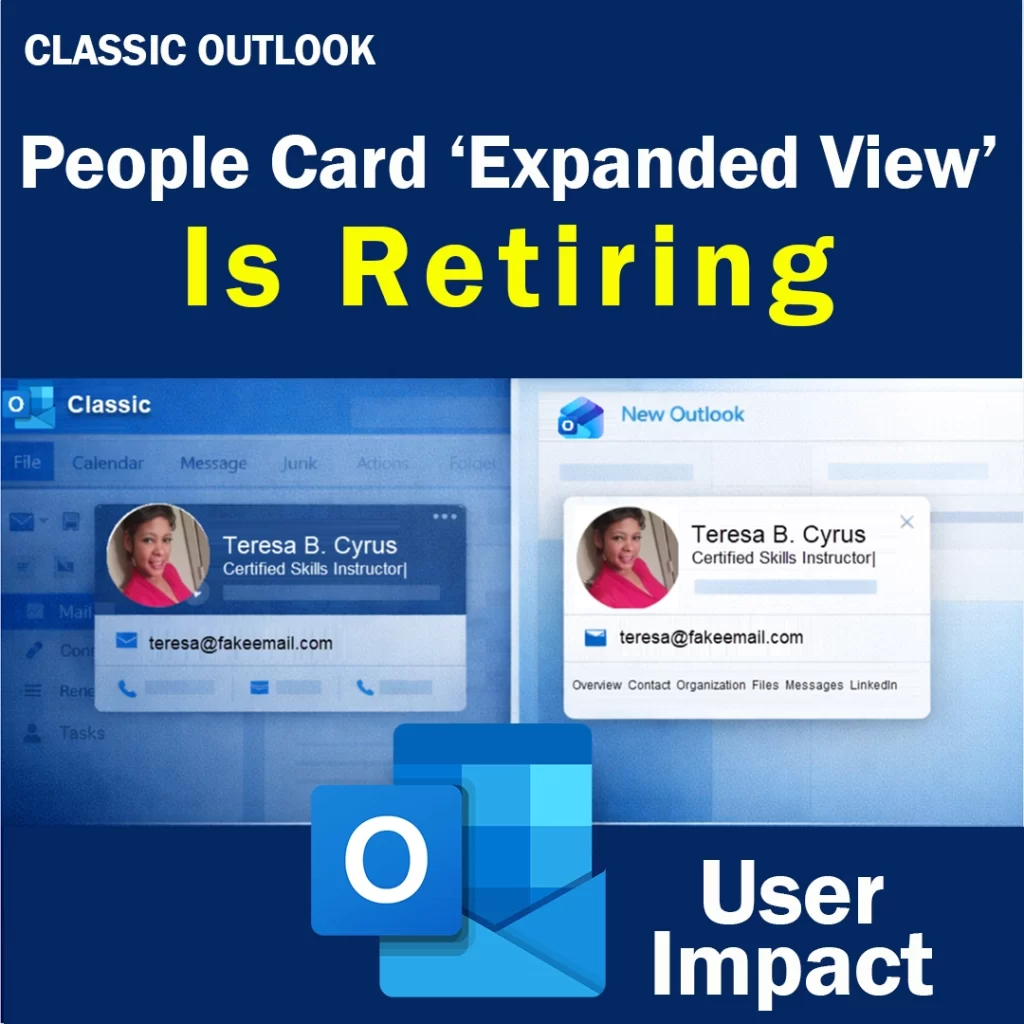
Classic Outlook will retire the People Card Expanded View in June 2026. The standard People Card is not retiring. Users will still see a contact card, but they will lose the larger expanded experience and several details tied to it.
When the People Card Expanded View retires in Classic Outlook
Microsoft plans to retire the People Card Expanded View in Classic Outlook during June 2026.
Once that rollout finishes, users will still be able to open the standard contact card. However, the expanded view will no longer be available in Classic Outlook.
The images below are provided by Microsoft.
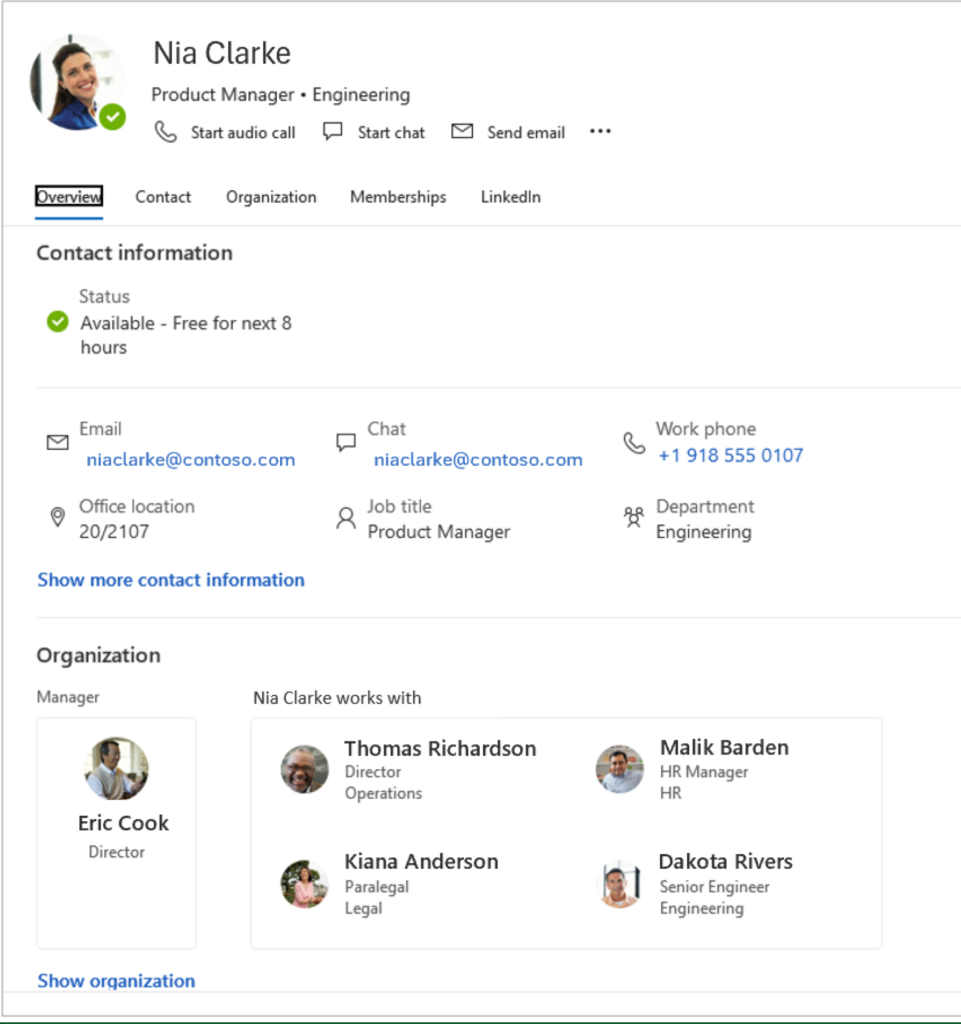
Before June 2026: Expanded Profile Card View
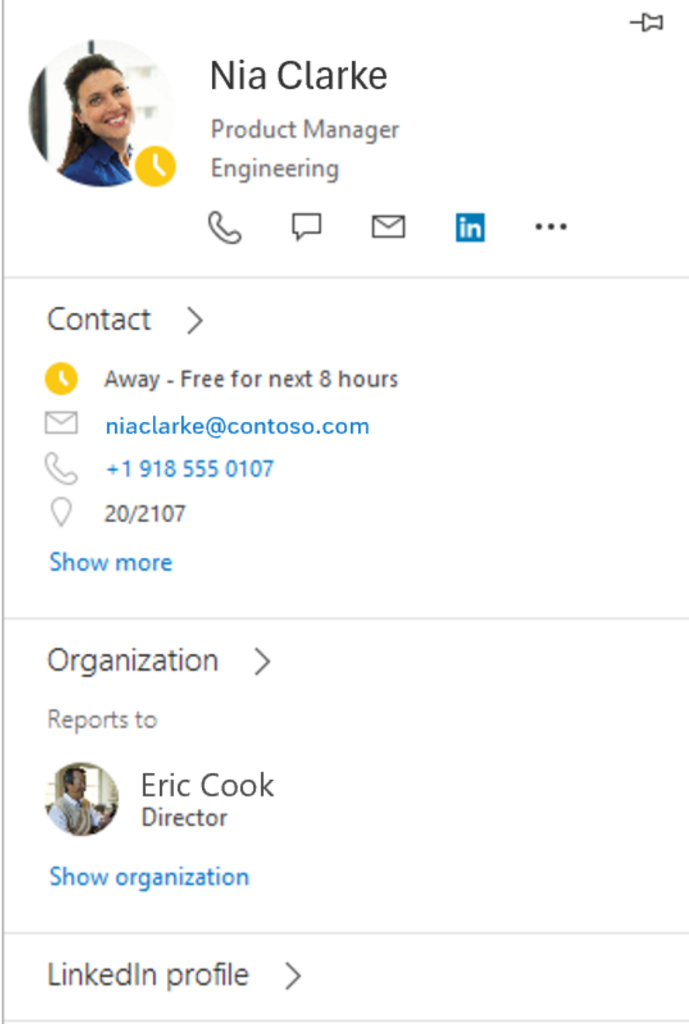
After June 2026: Standard Profile Card View
Who is affected
This change affects users who still work in Classic Outlook and open the contact card by:
right-clicking an email recipient and selecting Open contact card
double-clicking an email recipient
After the retirement, those actions will open the standard contact card instead of the expanded view.
What features are being removed from the People Card Expanded View
The standard contact card does not include several features that users had in the expanded view.
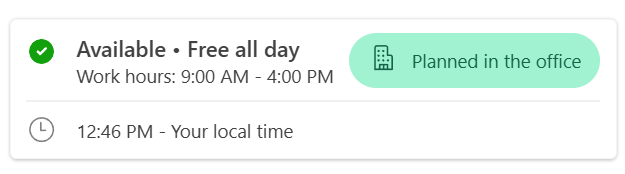
Local time display
Users could quickly see a contact’s local time.
This helped with:
scheduling meetings across time zones
avoiding messages outside business hours
supporting global teams
Without that quick view, users must check time zones another way. That adds extra steps and can lead to avoidable scheduling mistakes.
“Works With” in the organization chart
This feature showed who a contact regularly worked with.
That helped users:
understand reporting relationships
identify likely stakeholders
move through cross-functional teams faster
Its removal makes it harder to understand organizational context at a glance, especially for new hires or employees working across departments.
Change picture entry point
Users could previously update their profile picture directly from Outlook.
That shortcut helped because it reduced steps and made profile updates easier. After the retirement, that entry point will no longer be available in Classic Outlook.
What stays the same in the People Card
The standard People Card remains available.
That point needs to be clear because some users may assume the entire People Card is disappearing. It is not. Only the expanded view is being retired.
Also, the expanded People Card was not customizable. Any customizations made to the standard contact card should remain in place after this change.
Where users can still get a richer People Card experience
Users who rely on the removed features can still get more contact context in:
New Outlook
Outlook on the web
Both give users a stronger contact experience and better access to related content.
What users gain in New Outlook
This is where the discussion shifts from loss to value.
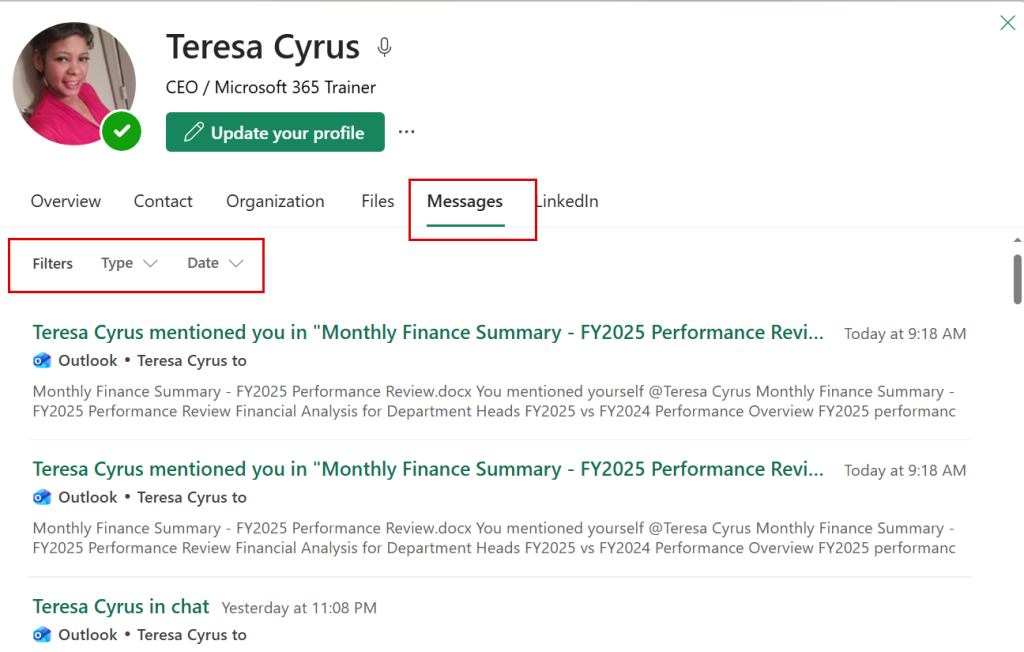
In New Outlook, users can do more than look at basic contact details. They can also find content linked to a contact more efficiently.
Users can:
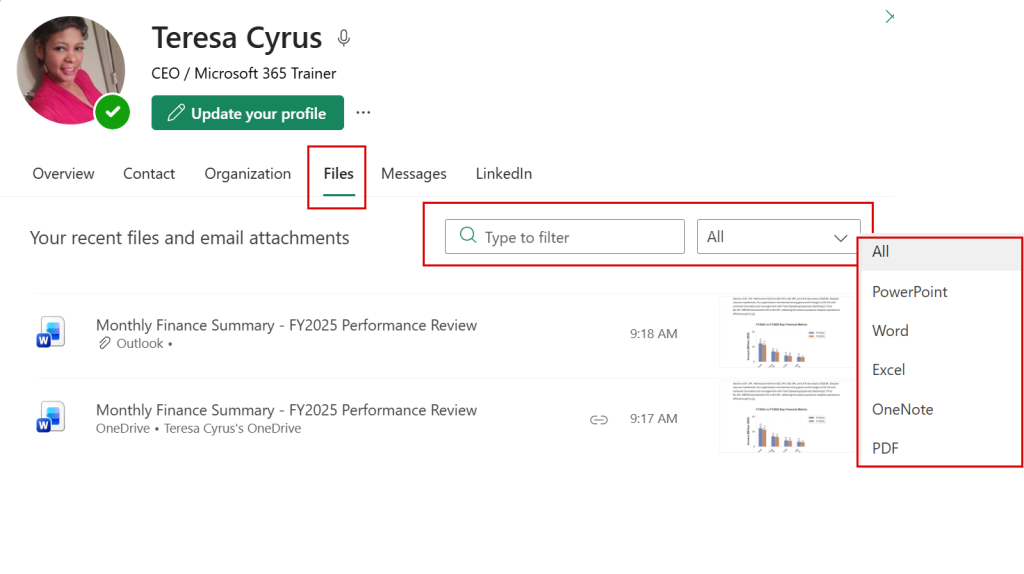
view files shared with or by a contact
review email conversations with that contact
filter results by file type
filter results by date range
That matters in real work. Instead of searching across inboxes, Teams chats, and OneDrive separately, users can open a contact and quickly narrow down useful content.
If this information was helpful, the Microsoft 365 Retired Features category includes more posts about retired features, upcoming changes, and what they mean for users.
My perspective as a Microsoft 365 trainer
This change reinforces a broader pattern.
Microsoft is not building the future of Outlook around Classic Outlook. It is putting more value into New Outlook, where collaboration, contact context, and content discovery are stronger.
What organizations should do next
prepare users for the June 2026 change
explain that only the expanded view is retiring
show users what remains available in the standard contact card
demonstrate what New Outlook does better
update internal documentation and training materials
encourage early testing of New Outlook workflows
Final takeaway
Classic Outlook is retiring the People Card Expanded View, not the full People Card. That distinction should be stated clearly from the start.
Users will still have access to the standard contact card. However, they will lose some quick context features that supported scheduling, collaboration, and contact lookups. For that reason, this update is another practical reason to help users get comfortable with New Outlook now.