
Home / Shop
New Outlook Features Unavailable in Classic That Reduce Inbox and Calendar Friction


- Description
- Specifications
SPECIAL OFFER: With New Outlook comes New Workflows.
Explore New Outlook native features unavailable in Classic. See how modern inbox and calendar workflows reduce friction. No hype—just clarity.
New Outlook introduces workflow improvements that simply don’t exist in Classic, especially for managing the inbox, scheduling, and task follow-through.
This 90-minute live webinar focuses solely on features native to New Outlook. No migration pitch. No forced switch. Just a practical walkthrough of 20+ New Outlook features designed for how work actually happens today.
You’ll see real, live demos showing how New Outlook reduces inbox scanning, calendar friction, and manual follow-ups—while also clearly calling out where Classic still does things better.
What You’ll Learn
- 20+ New Outlook features unavailable in Classic
- Inbox behaviors that reduce scanning, sorting, and decision fatigue
- Calendar improvements that simplify scheduling and follow-ups
- Where New Outlook still falls short—and when Classic remains the better choice
Dates: February 19, 2026
Time: 2:00 PM Eastern Time Zone (90 minutes)
Price: $25
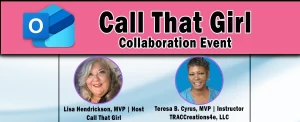
Host: Lisa Hendrickson, Call That Girl
Instructor: Teresa B. Cyrus, TRACCreations4e
Purchase your seat today.
Note: Each session includes live demonstrations of the latest New Outlook features, which may differ from published videos as Microsoft continues to roll out updates.
What do you get?
- License: One user, non-refundable
- Easy-to-Follow Training: Live webinar-style sessions
- Reference Materials: Any support guides or presentations are yours to keep
- Webinar Recordings: Unable to attend a live session? Recordings are available for a limited time.
- Mail List: Added to TRACCreations4e's mail list to receive newsletters about product feature updates and training opportunities
For more information:
ℹ️For session descriptions, click the Specification tab above.
📆 For purchased services, you will receive an email with the session details.
Session Descriptions:
New Outlook Features Unavailable in Classic | Reduce Inbox and Calendar Friction
New Outlook introduces a modern experience designed to reduce inbox and calendar friction.
Many users continue to rely on Classic Outlook because it still works for their day-to-day needs. This session highlights New Outlook features that introduce new ways to streamline workflows, while recognizing that some familiar Classic functionality is not yet available.
You’ll see how New Outlook helps you:
MAILBOX
- Keep critical messages visible
- Temporarily remove distractions and resurface messages at the right time
- Automatically clean up repetitive emails
- Navigate faster with enhanced Favorites and Category behaviors that improve focus and visibility
SCHEDULING
- Hybrid RSVP clearly distinguishes in-person, remote, and optional attendance
- Modern response behaviors reduce confusion around who is attending and how
- Enhanced filtering improves visibility across meetings, appointments, and follow-ups
ACCOUNT & INTERFACE EXPERIENCE
- Account display enhancements make it easier to understand which account you’re working in
- Search settings provide better control over how Outlook finds mail, people, and calendar information
Target Audience
- Outlook Classic users evaluating New Outlook cautiously
- Business and administrative professionals managing high email volume
- Team leads and managers navigating modern scheduling demands
- IT professionals monitoring Outlook’s evolution
- Anyone seeking clarity instead of assumptions
Reserve your spot today. Gain practical insight into New Outlook’s native capabilities—without hype, pressure, or forced change.