
How to Use Undo Send in the New Outlook: The 2026 Upgrade
The New Outlook Undo Send feature helps you fix email mistakes before they go out. Learn how it works, how to adjust the delay, and why it’s more reliable than Message Recall.


Microsoft 365 and New Outlook Training | The 4E Framework

Microsoft 365 and New Outlook Training | The 4E Framework
THE VAULT
Help yourself to how-to’s, techniques, and strategies to increase productivity and efficiency
The New Outlook Undo Send feature helps you fix email mistakes before they go out. Learn how it works, how to adjust the delay, and why it’s more reliable than Message Recall.

Quick Parts have finally arrived in New Outlook! Learn how to create, use, and manage them—plus what classic features didn’t make the cut.
Copilot Agents, Copilot Chat, and Copilot in apps work differently. Learn when to use each and how licensing affects Word, PowerPoint, and Excel.
Summarizing emails with Copilot saves time—but it can also clutter Copilot Chat History. Learn why it happens and how to prevent it.

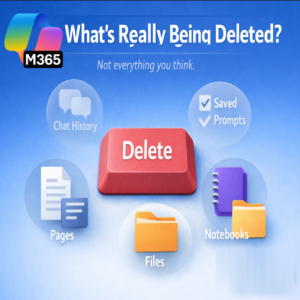
Confused about deleting Copilot chats? This guide explains how to delete chat history, what isn’t removed, and when to use Temporary Chat instead.

Copilot missing files? Learn simple rules to improve accuracy by using OneDrive or SharePoint, linking to files instead of folders, and being specific.

Personalize your desktop window, font colors, and reading pane images to create a unique and valued desktop experience in New Outlook.

Drag and drop email to To Do in New Outlook can fail without warning. Here’s why it happens and the workaround Microsoft confirms works best.

Inbox automation in New Outlook helps reduce email overload by handling repetitive messages automatically—so you can stop babysitting your inbox and focus on what matters.

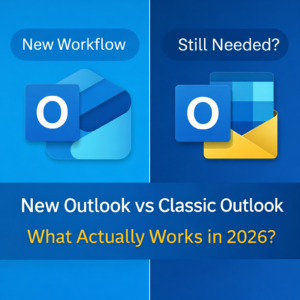
New Outlook doesn’t work the way you expect? Compare New Outlook vs Classic Outlook in 2026 to see what’s missing, what’s improved, and who should switch.
Learn how to export your mailbox to a PST file in New Outlook for Windows. Step-by-step guide with tips for large mailboxes and read-only items.
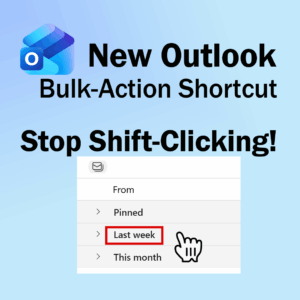
New Outlook includes a bulk action shortcut that removes the need for Shift-clicking. Learn how this hidden feature speeds up inbox cleanup instantly.