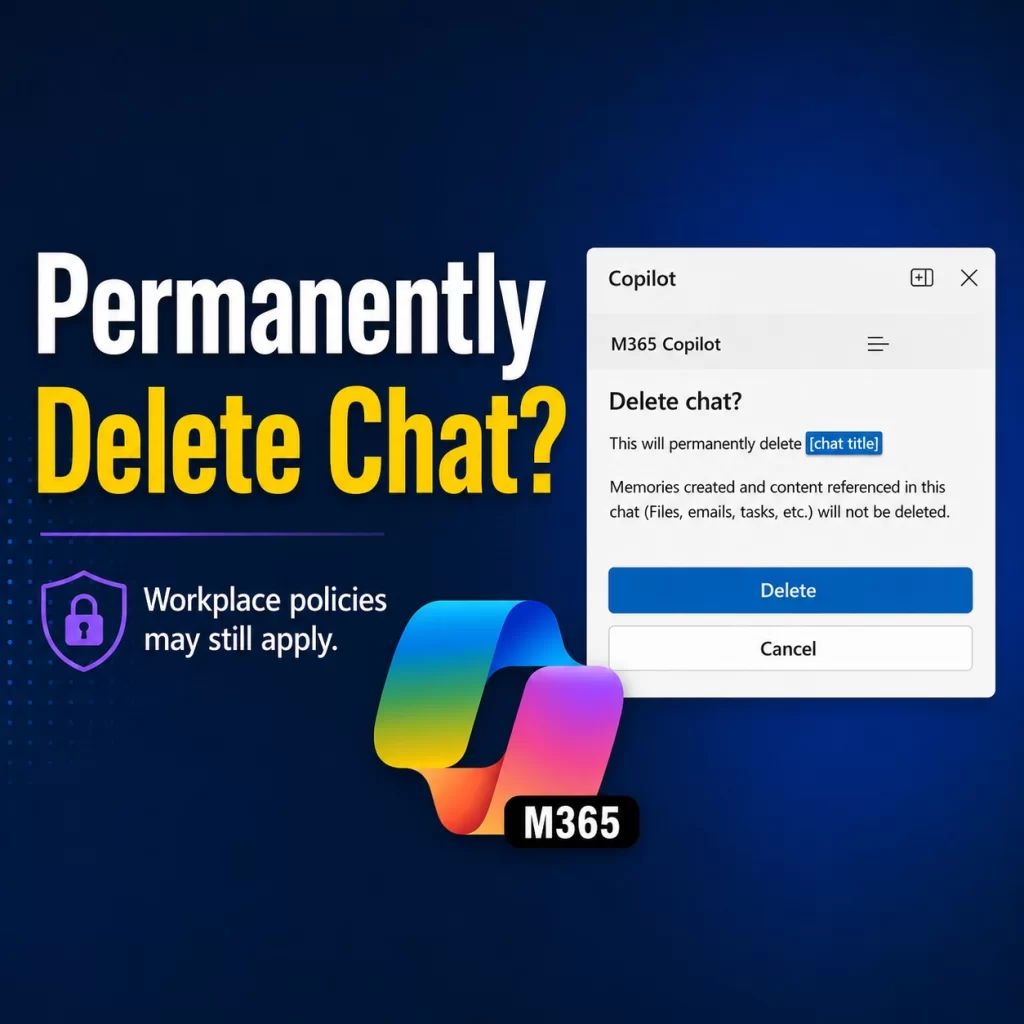
Can employers see deleted Copilot chats? That question becomes more confusing when the Copilot warning says “Permanently delete chat?”
Most users will read that warning and think, “Once I delete this Copilot chat, it is gone.”
From your visible Copilot chat history, yes.
But if you are using Copilot with a work or school account, that does not automatically mean the interaction is erased from every workplace system.
That does not mean your manager is casually reading your Copilot chats. That is not the right takeaway.
But your organization may have retention, audit, compliance, or eDiscovery policies that apply to Copilot interactions.
Click here to watch the video, Permanently Deleted Chats? But is it really?
Permanently Deleted Does Not Mean Gone Everywhere
The phrase permanently delete in the chat alert can be easy to misunderstand.
When you delete a Copilot chat, it removes the chat from your visible chat history. That means you should not expect a simple Undo button or a recycle bin.
However, deleting the chat does not automatically delete everything connected to that conversation.
For example, deleting a Copilot chat does not delete:
- Files Copilot referenced
- Emails Copilot summarized
- Meetings Copilot reviewed
- Tasks Copilot helped create
- Content saved somewhere else in Microsoft 365
So, yes, deletion helps clean up your Copilot chat history, but deletion is not the same as wiping every related workplace record.
For the cleanup steps, my guide on How to Delete Copilot Chat History and Conversations explains what gets removed from Copilot history, saved prompts, Pages, Notebooks, agents, and files.
Who Can See Deleted Copilot Chats?
Here is the plain-language answer.
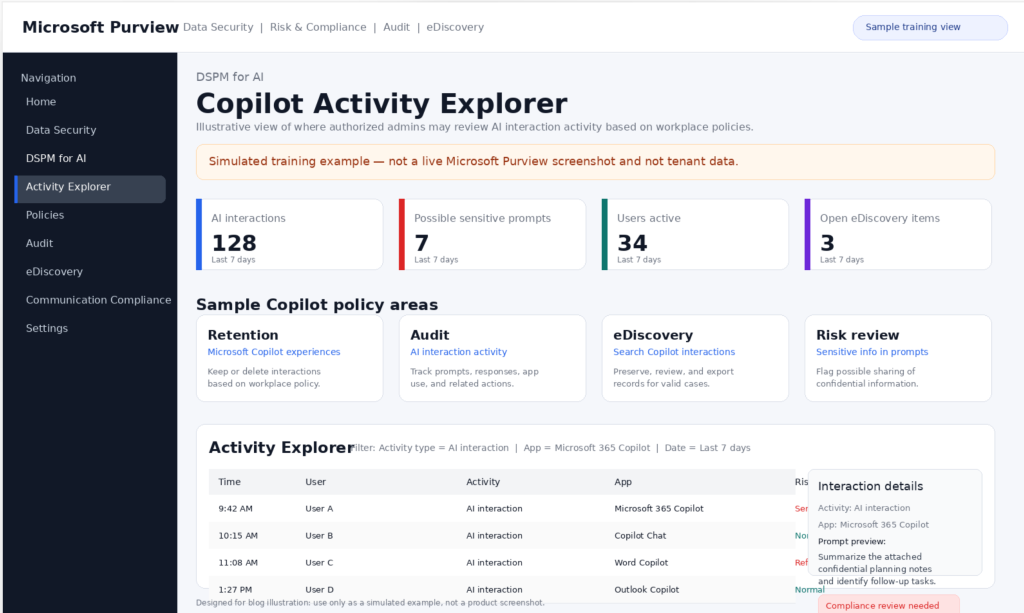
Your employer may have tools that retain, audit, or search Copilot interactions.
That can include prompts, responses, referenced content, and other Copilot interaction data, depending on your organization’s Microsoft 365 setup and policies in Microsoft’s Purview portal.
Some Copilot interaction data may also be stored in hidden Exchange mailbox locations for compliance and eDiscovery purposes. These locations are not designed for normal user browsing or casual manager review. So no, your manager probably cannot just open Copilot and browse your deleted chats.
But authorized compliance, legal, security, or eDiscovery administrators may be able to search Copilot interactions when they have the proper permissions and a valid workplace reason.
Key Takeaway: A chat may be gone from your visible history, but your organization’s workplace policies may still apply.
Does Temporary Chat Change Who Can See Deleted Copilot Chats?
Temporary Chat also needs a clear explanation.
The Temporary Chat message says the chat will not be saved or create memories. That sounds private at first glance.
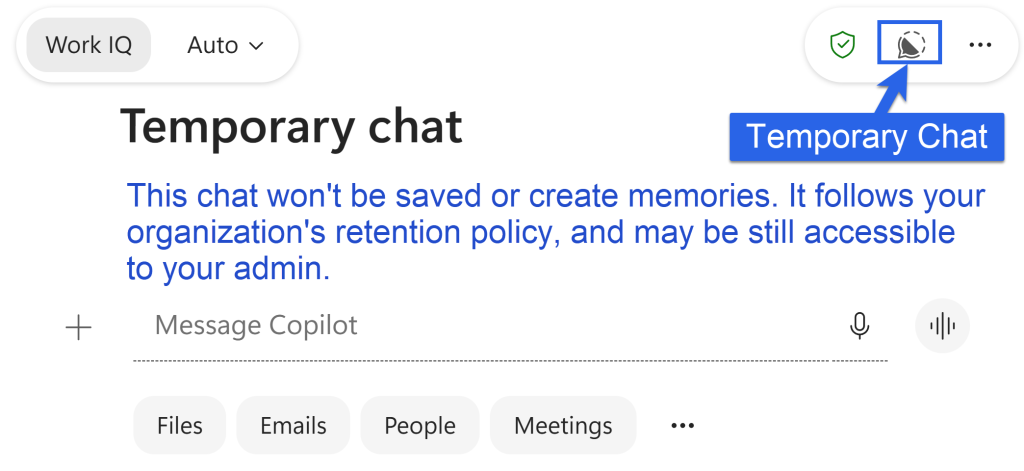
But the same message also says the chat follows your organization’s retention policy and may still be accessible to your admin.
That is the part users should not miss.
Temporary Chat may help keep the conversation out of normal chat history and Copilot Memory, but it does not automatically bypass workplace policies.
So do not treat Temporary Chat like private browsing at work.
Key Takeaway: Temporary Chat may reduce what is saved for your use, but your organization’s retention rules may still apply.
What Should You Do?
Use this simple rule: Delete Copilot chats for cleanup, not secrecy.
If you delete a chat, it can help remove the conversation from your visible Copilot history.
But do not assume it removes the interaction from every workplace system.
Also, do not use Copilot to process content you would not put in work email, Teams chat, or a shared document.
That includes:
- Private employee issues
- Sensitive business or personal information
- Legal concerns
- HR topics
- Customer data
- Confidential planning notes
If the content is sensitive, slow down before typing it into Copilot.
Bottom Line
Permanently deleted usually means deleted from your visible Copilot chat history, with no simple way to get it back.
But for work and school accounts, workplace retention, audit, compliance, or eDiscovery policies may still apply.
Before I let you go.
Need practical Microsoft 365 or Copilot training for your team?
Explore TRACCreations4e services: https://traccreations4e.com/services/
Now, go and work your magic.